
Table of Contents
Give Claude its own evolving toolbox. Connect microfn via MCP and Claude can create, update, and reuse custom JavaScript functions—building a persistent library of tools that grows smarter over time.
Build a weather function once, then refine it. Create an API integration, then patch it when requirements change. Every tool runs instantly in a secure sandbox and stays ready for the next conversation.
1. Access settings
Navigate to your Claude.ai connector settings.
2. Add Custom Connector
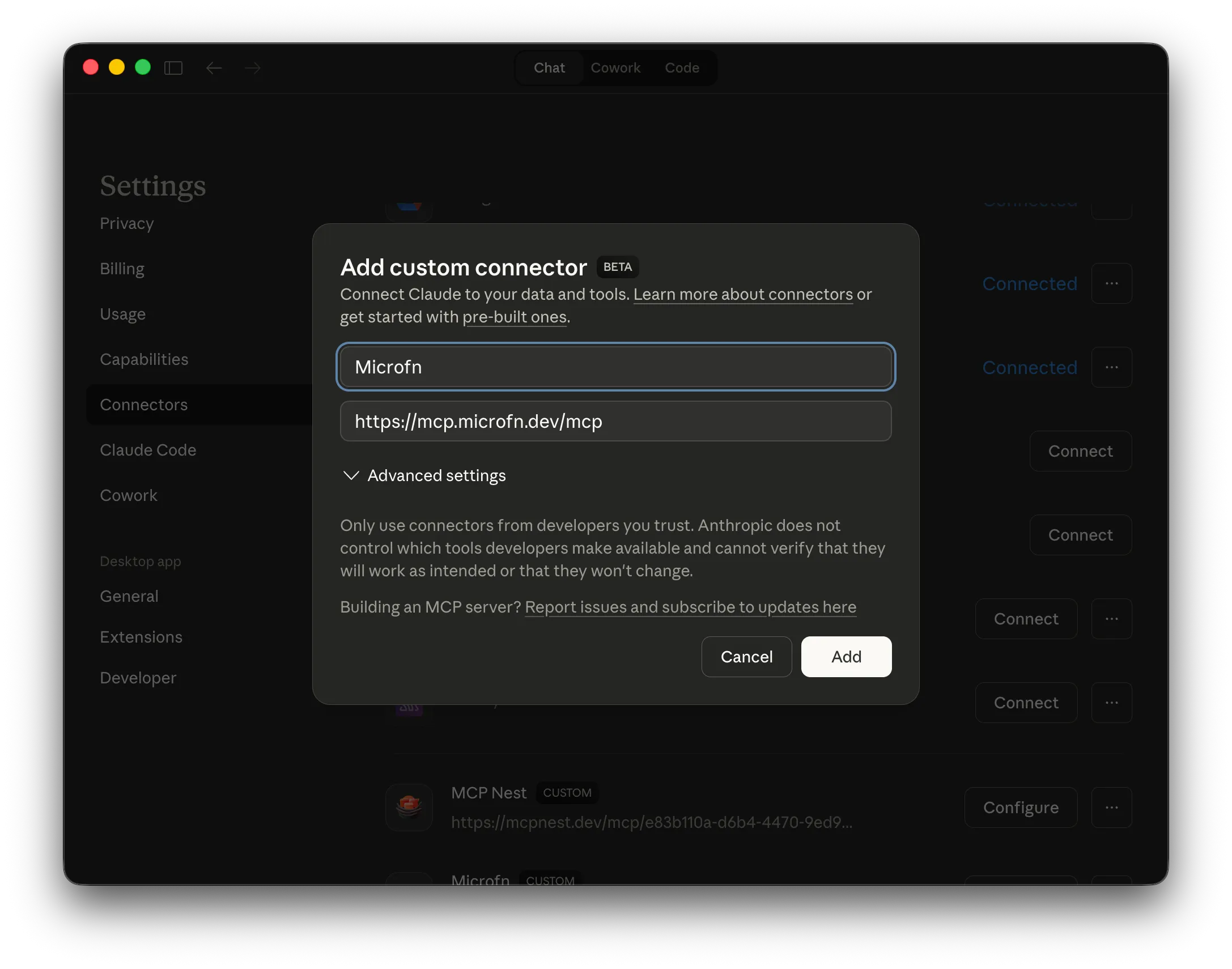
Click the Add Custom Connector button and fill out the form with the following details:
- Name: microfn
- Remote URL:
https://mcp.microfn.dev/mcp
3. Connect and Authorize
After adding it, find microfn in your connectors list and click Connect.
You will be prompted to authorize the connection via OAuth. Simply follow the browser prompts to log in and grant access to your microfn account.
4. Verify
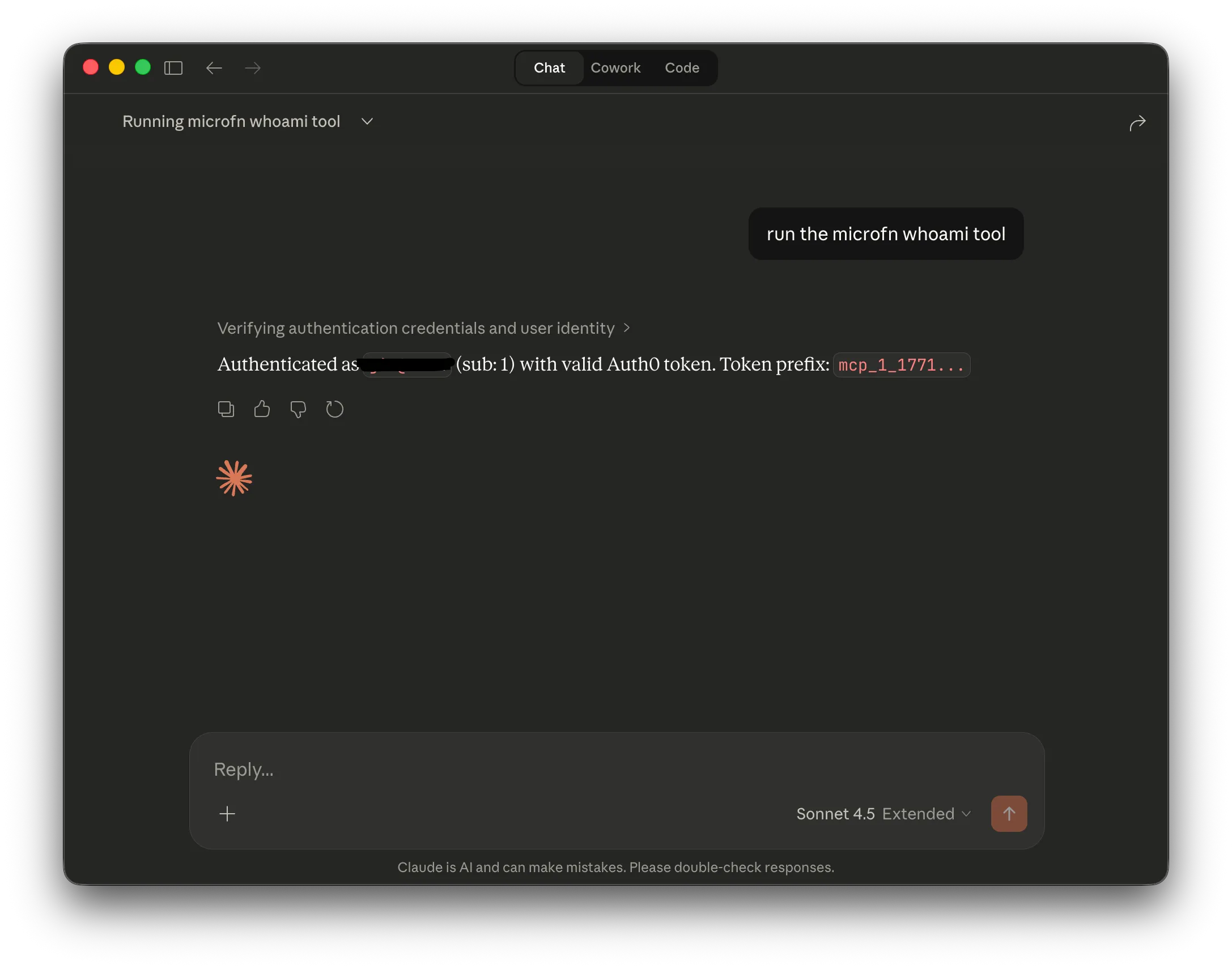
Once connected, you can verify the integration by asking Claude to run a command. For example, ask “whoami” to see your microfn user details.
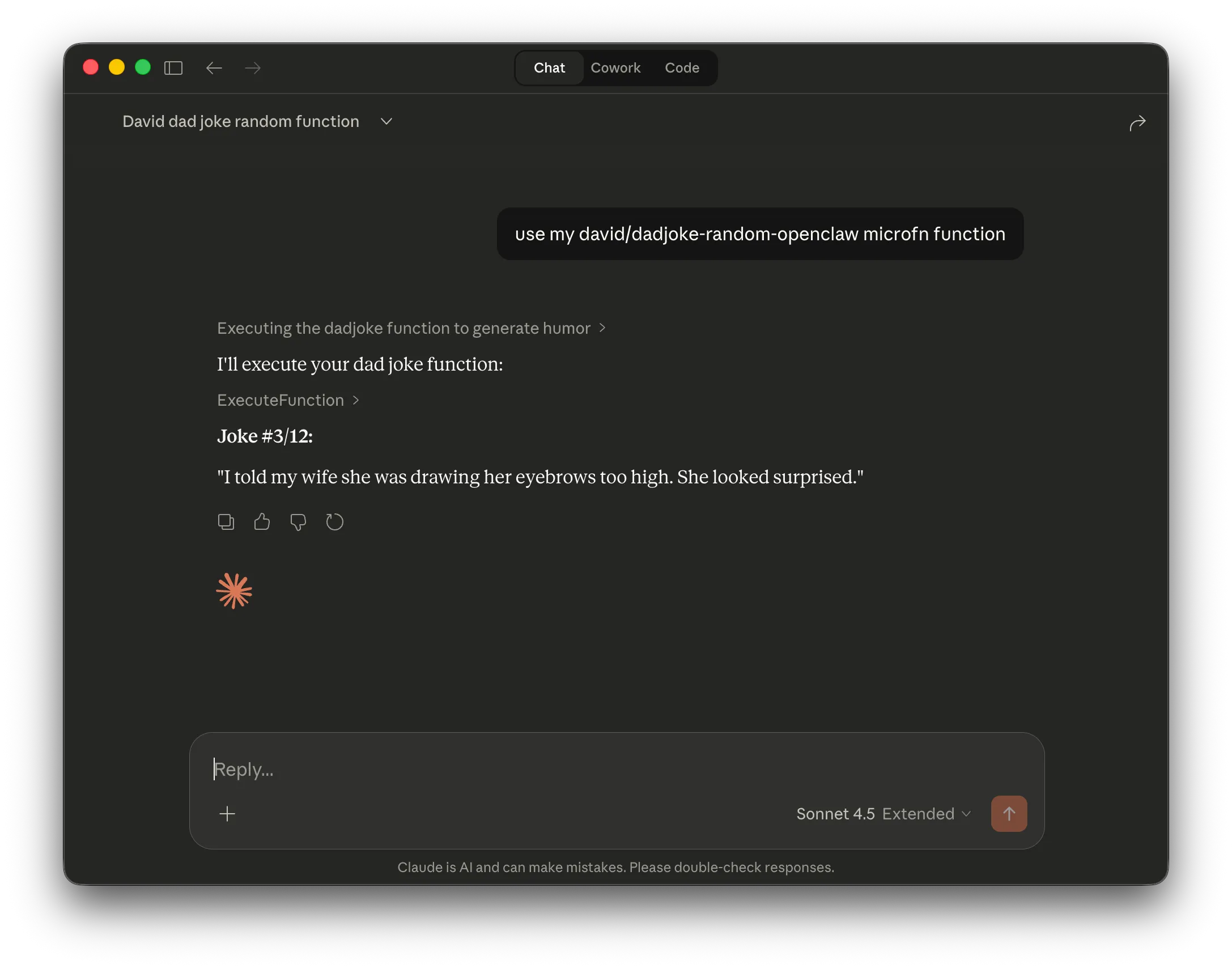
You can also ask Claude to call any of your microfn functions directly.
Read more
For more details on available tools and advanced configuration, check out the microfn MCP documentation.
Built with microfn, your toolbox for composable functions
Microfn is a tiny cloud runner for composable JavaScript functions. Write your function, hit save, and microfn deploys it instantly.